
Modern QR menus can guide guests through a menu more effectively than a static PDF. Clear categories, strong visuals, useful item details and well-placed add-ons reduce the effort required to choose and order.
The goal is not to make every menu feel algorithmic or over-personalised. It is to make the experience relevant to the venue, the time of day and the guest's immediate needs.
What makes a QR menu personalised?
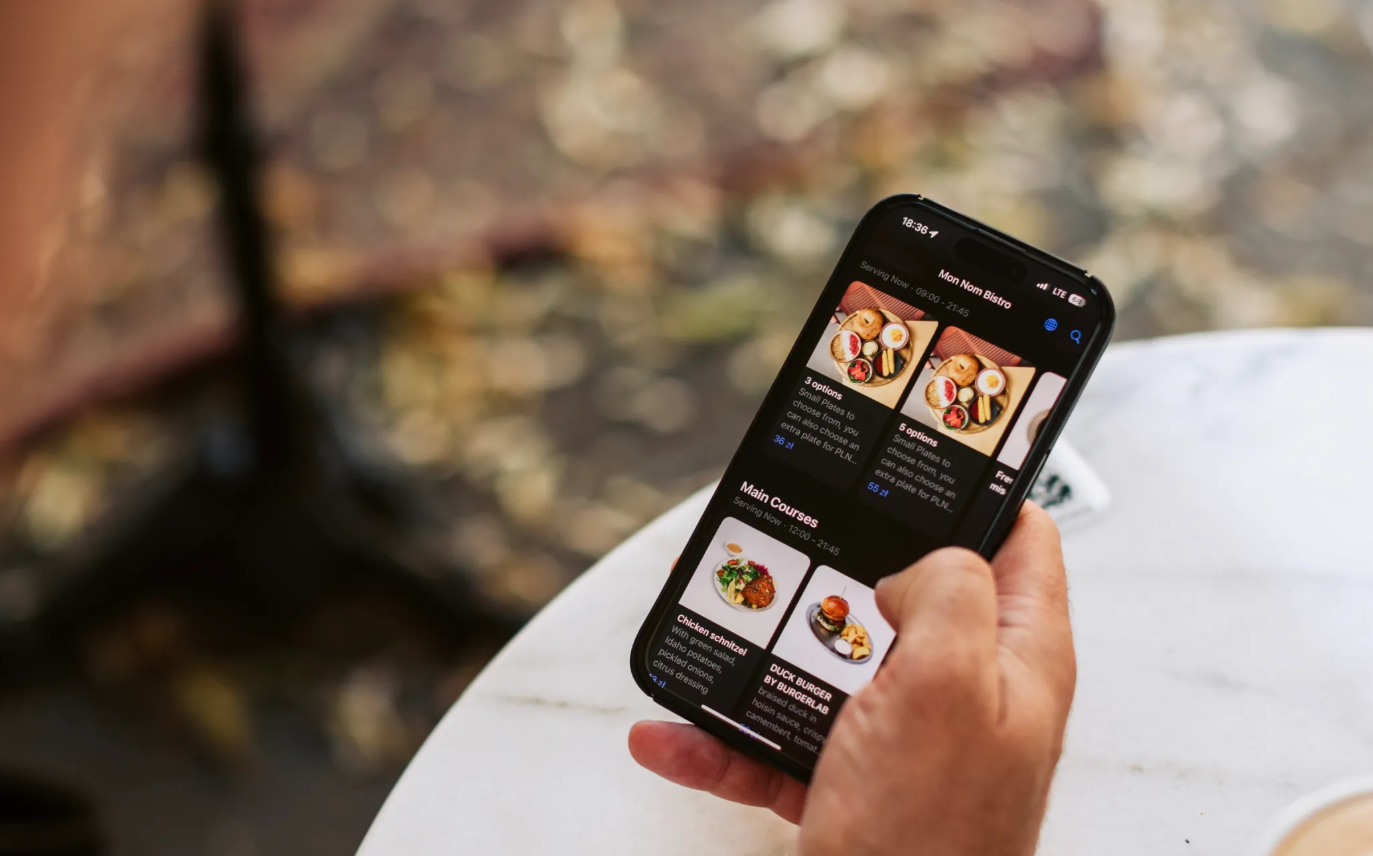
Personalisation can be simple. In a QR menu, it may mean showing the right menu for the current time, presenting the venue's own branding, supporting the guest's language, and making relevant modifiers or add-ons easy to find.
- Time-based content. Breakfast, lunch, dinner or special menus can appear when they are relevant.
- Clear add-ons and modifiers. Guests can see available options without relying on a waiter to list every choice.
- Dietary and allergen information. Clear labels help guests find suitable items faster.
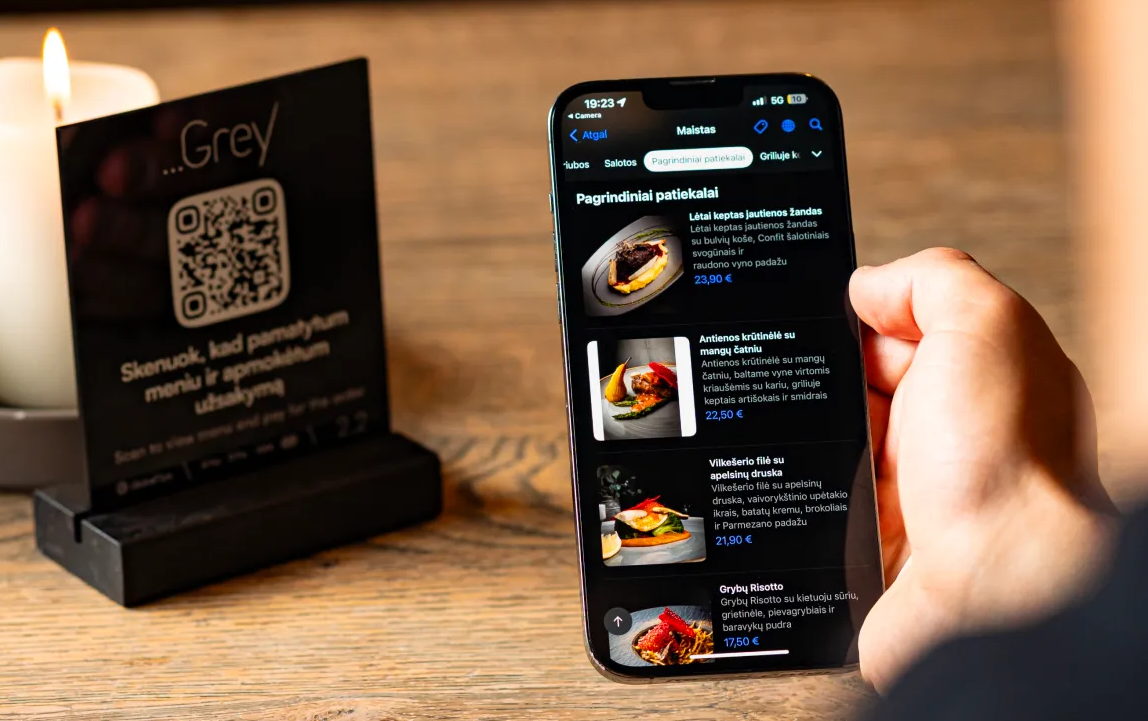
- Visual hierarchy. Photos, categories and descriptions can make popular or high-priority items easier to discover.
- Localisation. Multi-language menus reduce friction for international guests.
How personalised QR menus can increase orders?
1. They guide decision-making
Guests order more confidently when the menu is easy to scan and the important information is visible. Clear categories and item descriptions reduce hesitation and make the next action obvious.
2. They support upselling and cross-selling
Relevant modifiers and add-ons can increase order value without aggressive pop-ups. A coffee can show an available pastry, a main can offer a side, or a dish can present the modifiers that belong with it.
3. They reduce ordering friction
Search, filters, allergen information and a mobile-first layout can reduce long scrolling and repeated questions to staff.
4. They create a better guest experience
A menu that reflects the venue's brand, stays current and works in the guest's language feels more intentional than a generic PDF. That consistency can improve the overall perception of the visit.
Key features to look for in a personalised QR menu
When choosing a platform, prioritise practical capabilities:
- Brand customisation, including colours, images and menu presentation
- Fast updates to items, prices, descriptions and availability
- Modifiers, allergens and dietary information
- Multi-language support for relevant markets
- Ordering and payment options where required
- POS or API integration when the operational flow needs it
- Analytics that help managers understand menu and guest activity
Avoid assuming that every provider includes automated recommendation engines or behavioural personalisation. Those features should be evaluated separately if they are important to your use case.
How to order a modern QR menu for your restaurant?
- Define the goal. Decide whether you need a digital menu only or also ordering, payments, tipping or loyalty.
- Check the guest flow. Test the menu on real phones and make sure the main actions are obvious.
- Check operations. Confirm how updates, sold-out items, modifiers and POS integration will work.
- Prepare the content. Good photos, descriptions and category structure matter as much as the technology.
- Pilot before scaling. Test with staff and a small group of tables before a full rollout.
Recommended QR menu solutions for cafés and restaurants
The best solution depends on how much of the guest journey you want to digitise. A menu-only platform may be enough for a venue that simply wants easier updates. A restaurant that also wants ordering, payment, tipping and loyalty may benefit from a broader platform.
GlobalTips combines interactive QR menus with optional ordering and payments, cashless tipping and reviews, and loyalty. The menu supports photos, modifiers, allergen information, real-time updates and 140+ languages.
Measuring the impact of personalised QR menus
Track what changes after launch:
- Average order value. Are guests adding more relevant extras?
- Order speed. Are guests deciding and ordering faster?
- Menu activity. Which items and categories attract attention?
- Guest feedback. Are guests finding the menu easier to use?
- Table turnover. Does the full ordering and payment flow reduce avoidable waiting?
A modern QR menu works best when it removes friction instead of adding features for their own sake. Keep the structure simple, keep the information current and use digital tools where they make the guest journey easier.