If each table waits 4 minutes for someone to take their order, another 3 minutes to get the bill, and 2 more minutes for payment processing, you have added 9 minutes of idle time per visit. Multiply that across peak hours, and you are leaving revenue on the table, literally.
Faster order and payment flows do not just improve guest satisfaction. They increase table turnover, reduce staff stress during rush periods, and create capacity without adding square meters or headcount.
The challenge is choosing the right tools and integrating them without disrupting service. This guide walks through the practical options, what works in real operations, and how to avoid common mistakes.
Business case for faster order and payment processing
When you reduce friction in ordering and payment, several operational metrics improve simultaneously. Table turnover increases because shaving 5 to 10 minutes per table during lunch or dinner service can add one extra seating per shift. Staff handle more covers per hour since less time spent walking to the till or waiting for payment authorization means more time serving guests.
Guest satisfaction improves measurably. Long waits for the bill are a top complaint in reviews, and faster payment feels like better service even when everything else stays the same. Order accuracy also improves with digital order entry (QR or handheld) because it reduces transcription errors and kitchen miscommunication. Finally, peak hour capacity expands. You can serve more guests with the same team and floor space simply by removing bottlenecks in the order and payment flow.
"Speed is not about rushing guests. It is about removing the moments when they are waiting for nothing."
The key is to remove unnecessary steps without removing the human touch where it matters. Guests want efficiency, but they also want to feel welcomed and cared for. The best systems balance both.
Three proven approaches to speed up order taking
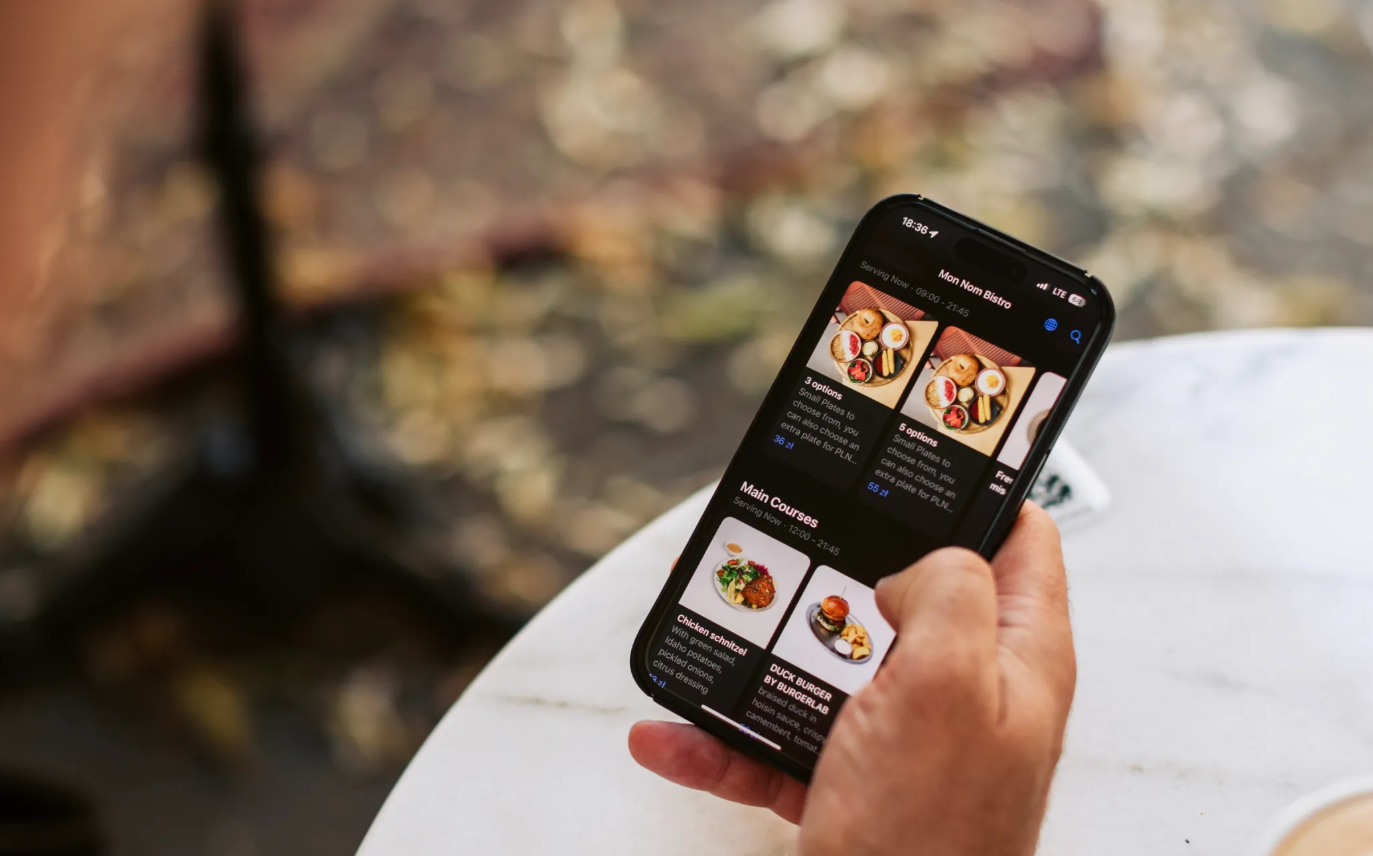
QR code self-ordering: guest autonomy meets kitchen efficiency.
Guests scan a code at the table, browse the menu on their phone, and send orders directly to the kitchen or bar. This approach eliminates the need for staff to walk orders to a till or handheld device, and orders appear in the kitchen instantly with table number and modifiers. Guests can add items throughout the meal without flagging down a server, which is especially useful for drinks, desserts, or additional courses.
- Best for: casual dining, cafés, fast-casual, high-turnover venues where guests are comfortable using their phones
- Watch out for: older guests or those uncomfortable with phones. Always offer a fallback where staff can take orders manually. Also check that your Wi-Fi can handle peak load, and that the menu is mobile-optimized with clear photos and descriptions.
Handheld POS terminals: full-service speed without losing the personal touch
Servers take orders at the table using a mobile device that syncs with the kitchen and payment system. This eliminates trips to a fixed till to enter orders, and orders route to kitchen printers or screens immediately. Payment can be processed at the table using the same device, which removes the "waiting for the bill" bottleneck entirely.
- Best for: full-service restaurants, fine dining, venues where personal service is part of the experience and guests expect staff interaction
- Watch out for: device cost, battery life during long shifts, Wi-Fi coverage across the entire dining area, and staff training time. Some team members adapt quickly; others need more practice. Run mock services before launch.
Streamlined counter ordering: removing friction at the till
For counter-service venues, use a POS with a clear interface, item shortcuts, and fast payment acceptance (tap-to-pay, QR). Order entry should take seconds, not minutes, and payment should happen in one tap using contactless card or mobile wallet. The queue moves faster, reducing visible wait time and improving guest perception of service speed.
- Best for: coffee shops, quick-service restaurants, takeaway-focused venues where guests expect speed and simplicity
- Watch out for: menu complexity. Too many modifiers slow down counter staff. Simplify where possible, or use visual shortcuts on the POS screen to speed up entry.
Removing the "waiting for the bill" bottleneck: payment methods that work
At-table payment with portable terminals
Staff bring a card terminal to the table. Guest taps or inserts card, confirms, and leaves. This approach eliminates trips to the counter, makes split bills easier (process multiple cards in sequence), and works with all EU payment methods including contactless, chip & PIN, and mobile wallets like Apple Pay and Google Pay.
The guest experience is seamless. No waiting, no walking, no confusion about where to pay. For staff, it reduces the number of trips per table and speeds up turnover during peak hours.
QR payment links: guest-controlled checkout
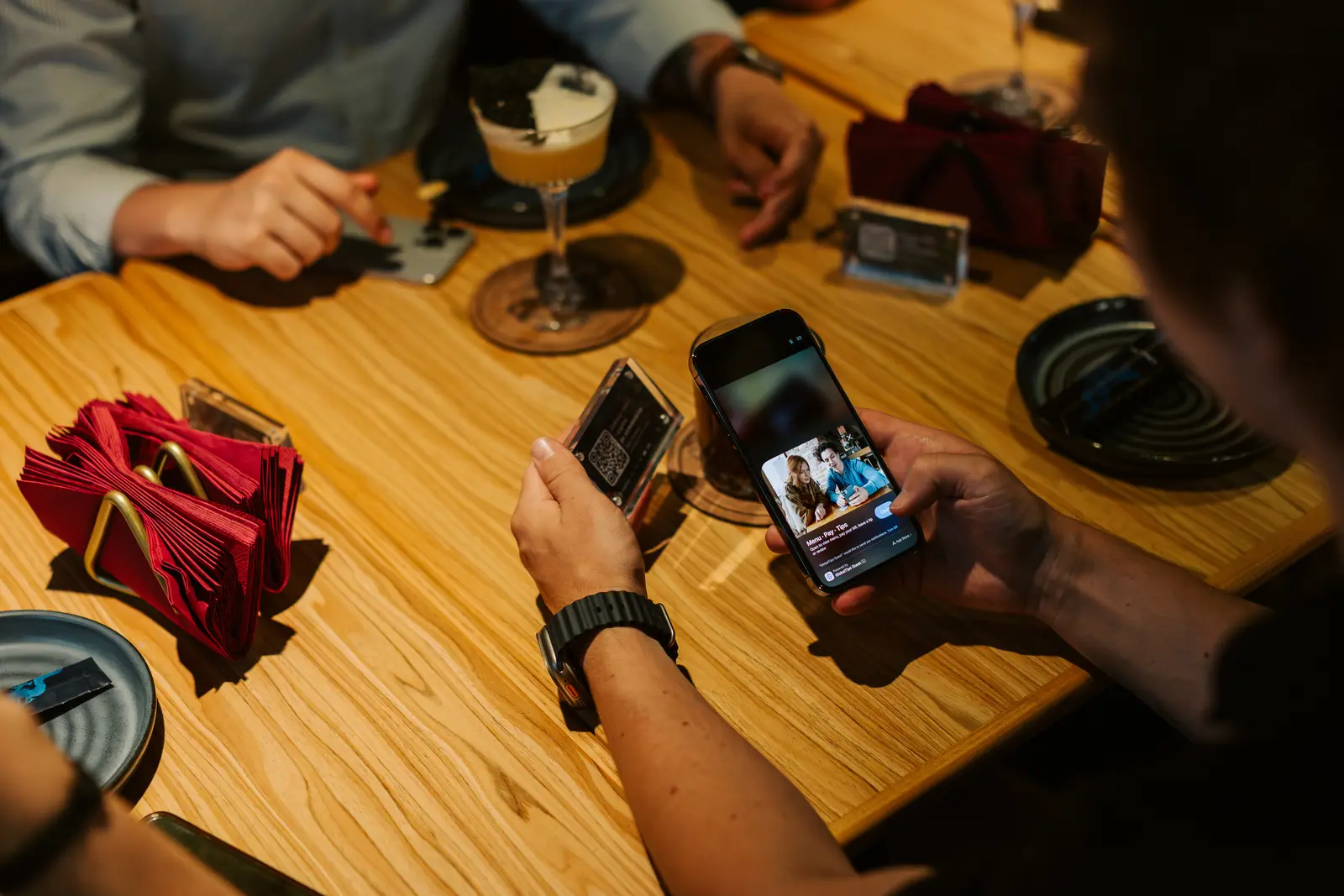
Guest scans a QR code (on receipt, table tent, or shown by staff) and pays via their phone. This method requires no hardware beyond a phone, gives the guest full control over the process (they can add tip, split bill, or review items), and works especially well when combined with QR ordering to create one unified flow from order to payment.
The main advantage is flexibility. Guests who prefer autonomy can handle everything themselves. Staff can focus on service rather than payment processing. The main caveat is ensuring the payment link loads quickly and works across different phone models and browsers.
Integrated POS and payment: one system, zero reconciliation
Order and payment happen in one system. When the guest is ready, staff process payment at the table using a handheld or send a payment link. This approach eliminates manual reconciliation between orders and payments, speeds up end-of-shift closeout, and provides cleaner data for reporting and inventory management.
Integration is the key benefit. When your ordering system and payment system talk to each other automatically, you remove a major source of errors, delays, and staff frustration.
What to verify before choosing an order and payment system?
Before committing to a new system, confirm these critical points:
- POS and kitchen integration: Does it send orders to kitchen displays or printers instantly? Does it assign orders to the correct stations (grill, bar, cold prep)?
- EU payment compatibility: Does it support contactless, SCA (Strong Customer Authentication), and local wallets?
- Split bill and tip handling: Can guests split bills easily? Can they add tips during payment? Is the process clear and fast?
- Guest-facing speed: Does the flow take under 30 seconds from decision to confirmation?
- Reliability under load: Does it work during peak Wi-Fi usage or if connectivity drops briefly?
- Staff workflow: Can staff process orders and payments at the table or counter without delays or extra steps?
- Reporting and reconciliation: Does it provide end-of-day reports that match orders, payments, and inventory?
- Total cost: What are the hardware, software, transaction fees, and training time costs?
These questions separate functional systems from ones that create more problems than they solve. Prioritize integration, speed, and reliability over feature lists.
Step-by-step setup guide for faster order and payment flows
Start with the right tools
You do not need a complex stack to improve speed. Focus on these essentials:
- POS with instant order routing to kitchen displays or printers
- Payment terminal or integration that supports contactless, mobile wallets, and at-table processing
- Optional: QR ordering system if your service model supports guest self-ordering
- Optional: handheld devices if you run full-service and want at-table order entry
Choose tools that integrate with each other. Disconnected systems create manual work and slow you down.
Pre-launch testing checklist
Before you go live with new order and payment tools, test these scenarios:
- Order flow from entry to kitchen display (check timing, accuracy, table assignment)
- Payment methods (tap cards, Apple Pay, Google Pay, split bills)
- POS and payment system sync (no duplicate charges, no missing orders)
- Wi-Fi coverage across the dining area (dead zones break handheld and QR flows)
- Fallback procedures (what happens if a device fails or guest cannot use QR?)
Run a mock service with 3 to 5 tables to catch confusion before real guests arrive. Involve your most experienced staff in testing so they can spot issues you might miss.
Training your team: focus on the essentials
Walk the team through these four areas in a 20-minute session:
- How to enter orders (QR, handheld, or counter POS)
- How to process payment at the table or via QR link
- How to handle split bills and tips (show the exact steps)
- What to do if tech fails (manual order pad, backup terminal, who to call)
Do not overload staff with features they will not use daily. Focus on the core workflow and let them learn advanced features over time.
Integration and process verification
After training, verify these operational connections:
- POS routes orders to correct kitchen stations
- Payment terminal or QR link connects to POS for automatic reconciliation
- Receipts print or send digitally with correct VAT and business details (EU requirement)
- Tips are captured and routed correctly (check local labor rules)
- End-of-day reports match orders, payments, and inventory
If any of these fail, fix them before full rollout. Small integration issues become major problems during peak service.
Seven mistakes that slow down order and payment flows
- Choosing tools that do not integrate: If your ordering system and payment system do not talk to each other, you create manual reconciliation work. Pick solutions that sync automatically or use a unified platform.
- Overcomplicating the guest flow: If QR ordering requires account creation or multi-step forms, guests abandon it. Keep it simple: scan, browse, tap item, confirm. Every extra step reduces completion rate.
- Ignoring the fallback plan: Tech fails. Always have a manual process ready (paper pad, backup terminal, clear escalation path). Train staff on what to do when systems go down.
- Weak Wi-Fi during peak hours: Handheld devices and QR ordering depend on stable connectivity. Test under load. If your Wi-Fi struggles during busy service, upgrade it before adding more digital tools.
- No staff buy-in: If the team sees new tools as extra work, adoption fails. Show them how it reduces their workload (fewer trips, faster tables, better tips). Involve experienced staff in testing and rollout.
- Skipping split bill and tip flows: EU guests often split bills. If your system makes this hard, you slow down payment and frustrate guests. Test split bill scenarios during setup.
- Forgetting compliance: Payment systems must meet PSD2 and SCA rules. Receipts must include required VAT details. Check local requirements and verify your system complies.
Tracking the right metrics to measure speed improvements
Monitor these indicators before and after implementing new order and payment tools:
Speed metrics:
- Average time from seating to order placed (target: under 3 minutes)
- Average time from request to payment complete (target: under 2 minutes)
- Table turnover rate (covers per table per shift)
Efficiency metrics:
- Orders per labor hour (total covers ÷ total staff hours)
- Payment errors or disputes (should drop with digital systems)
Guest experience metrics:
- Guest satisfaction scores related to speed and service flow
- Reviews mentioning wait times or payment experience
- Repeat visit rate
Improvements typically show within 2 to 4 weeks as staff and guests adapt to the new flow. The most telling sign is when staff stop complaining about being "too busy" during peak hours and start handling more covers with less visible stress.
A practical note on unified platforms
If you want a solution that combines QR ordering, at-table or QR-based payments, and POS integration in one operational flow, platforms like GlobalTips offer these features with a focus on speed and simplicity. The goal is not more technology for its own sake, but fewer steps between guest intent and kitchen execution, and between "ready to pay" and "payment complete."